Body
Overview
Every semester, faculty members are asked to provide feedback on the academic progress of students in their classes. This feedback is collected via a Navigate360 Progress Survey and faculty are notified about the surveys through emails sent from the system to their MavMail accounts. This guide will instruct faculty on how to complete a progress survey.
How to Complete a Progress Survey
1. Access the survey either through the survey deployment email (link to your specific surveys available in this email) OR log into Navigate360 here.
2. . If you do not use your survey direct link, ensure you are on your Professor/Faculty member home page when you access Navigate360 to find your surveys.

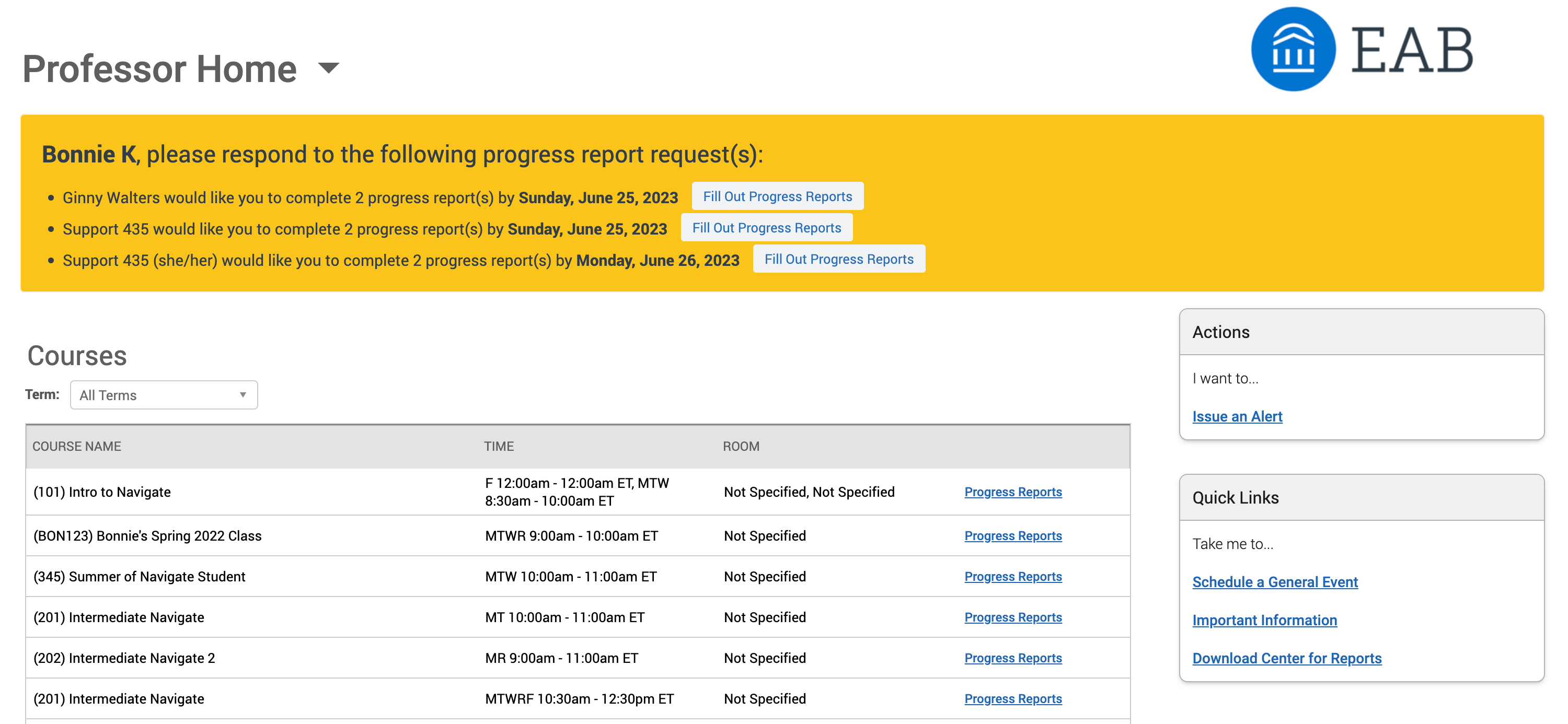
3. When progress surveys are active, you’ll see a yellow box with the survey requests you have. Click on the “Fill Out Progress Reports” to access your student lists.
4. You’ll be asked to complete the following fields for your students on the survey. NOTE: You do not need to provide feedback on every student listed. Only provide feedback for students that you believe from additional support/intervention and that you’ve already connected with/attempted to connect with about your concerns OR if desired, students you want to recognize for their positive academic performance.
Do you have concerns about this student’s course performance?
Use this field to indicate if this student is currently not making good academic progress.
Alert Reasons
Select a reason you are issuing the alert. This is required if the student is at-risk and optional otherwise.
Comments
Enter a narrative regarding how this student is progressing in the course. As with any narrative comment, the more complete the better. These comments may be shared with students so please write like you would if you were directly communicating with the student.
5. Once you have completed the survey for your identified students, find the submit option at the bottom of the page and click
- Submit my feedback (I'm all done/I don’t have feedback at this time) button. This is your "I'm all done" button. It will submit the students you have marked as you indicated. It will also submit the rest of your students as not at-risk. Please use this button carefully because with just a single click, it will totally complete your Progress Survey response
Still Need Help?
For Navigate360 staff system questions or issues, email navigate360@mnsu.edu or contact the Office of Student Success.